The Ultimate Guide to Maintain Your Rechargeable Fan
Fan February 18, 2026
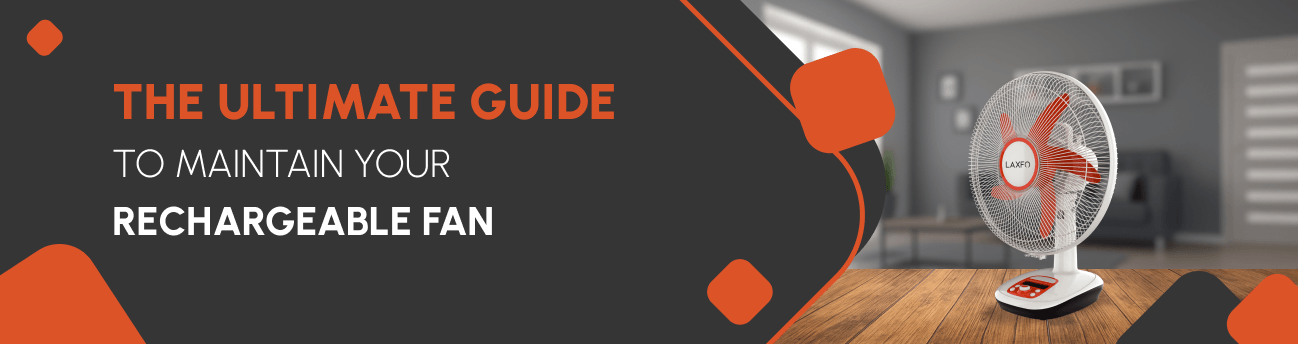
Imagine it's a scorching summer afternoon, the power just went out, and you reach for your trusty rechargeable fan. You press the button, and nothing happens. Frustrating, right? We've all been there.
Your rechargeable fan is more than just an appliance. It's your backup plan during power cuts, your portable cooling companion, and honestly, a lifesaver on those unbearably hot days. But here's the thing: like any hardworking device, it needs a little love and care to keep performing at its best.
The good news? Maintaining your rechargeable fan isn't rocket science. You don't need special tools or technical expertise. Just a few simple habits and regular care can add years to your fan's life and keep it running like new.
In this guide, we'll walk through everything you need to know about keeping your rechargeable fan in top shape. From daily care tips to troubleshooting common problems, we'll cover it all so you can become a fan maintenance pro. Let's dive in!
Getting to Know Your Fan Better
Before we jump into maintenance tips, let's take a moment to understand what makes your rechargeable fan tick. Trust me, knowing your fan's components makes caring for it so much easier.
Your rechargeable fan has several key parts working together. There's the battery (your power source), the motor (the heart of the operation), the blades (doing the actual cooling work), and the charging port. Some fans also have speed controls, LED indicators, and adjustable stands.
Unlike your regular plug-in fans, rechargeable models are designed for portability and backup power. They typically use lithium-ion or lead-acid batteries, which need specific care to maintain their performance. The motor is usually more compact and energy-efficient, designed to maximize battery life.
You might have a small desk fan, a standing pedestal model, or even a clip-on version. Each type has its quirks, but the basic maintenance principles remain the same.
Here's a quick tip that'll save you headaches later: Keep your user manual in a safe, accessible place. We know, most of us toss it in a drawer and forget about it. But that little booklet has specific information about your exact model that can be really helpful down the line.
Simple Habits That Make a Big Difference
The secret to a long-lasting rechargeable fan? Consistency. Small daily and weekly habits prevent big problems later. Let's explore the simple routines that'll keep your fan happy.
Daily Care
-
Give it a quick wipe down: After using your fan, especially during dusty days, take a soft, dry cloth and wipe the exterior. This takes literally 30 seconds but prevents dust buildup that can work its way into the motor.
-
Listen to your fan: We're serious! When your fan is running, pay attention to how it sounds. Any new rattling, grinding, or unusual noises? That's your fan telling you something needs attention.
-
Store it smart: When you're done using your fan for the day, don't just leave it anywhere. Put it in a relatively clean, dry spot. Avoid placing it directly on the floor where it collects more dust.
Weekly Tasks
Let's set aside 10 minutes once a week for these quick checks:
-
Clean the blades: Even if they don't look dirty, dust accumulates quickly. A slightly damp cloth works wonders.
-
Inspect the charging cable: Look for any fraying, exposed wires, or damage. Damaged cables are safety hazards and should be replaced immediately.
-
Check the grill: Those protective grills catch a lot of dust. Use a soft brush to clean between the gaps.
-
Test the battery: Run your fan for a few minutes to ensure it's holding charge properly.
Here's our tip: Set a recurring reminder on your phone for Friday evenings. Make it part of your weekend routine, like watering plants or meal prepping. Once it's a habit, you won't even think about it.
Monthly Deep Clean for Peak Performance
Once a month, your fan deserves a spa day. This deeper cleaning session keeps everything running smoothly and helps you catch potential issues early.
What You'll Need
Let's gather these items before we start:
-
A soft brush or clean old toothbrush
-
Microfiber cloths (they're gentle and effective)
-
Mild soap mixed with water
-
Cotton buds for tight spots
-
A dry towel
Step-by-Step Cleaning Process
-
Step 1- Safety first: Unplug your fan from charging and make sure it's completely powered off. This is non-negotiable.
-
Step 2- Disassemble what you can: If your fan's front grill is removable (check your manual), carefully take it off. Some models have clips or screws. Don't force anything.
-
Step 3- Clean each blade individually: Using your damp cloth with a tiny bit of soap solution, wipe each blade from base to tip. You'll be surprised how much grime comes off.
-
Step 4- Tackle the motor housing: Gently wipe down the exterior of the motor housing. Never let water drip into any openings.
-
Step 5- Detail work: Use cotton swabs to clean air vents, tight corners, and around buttons. These spots collect dust like crazy.
-
Step 6- Don't forget the base: The stand or base often gets overlooked but needs cleaning too.
-
Step 7- Dry everything thoroughly: This is crucial. Make sure every component is completely dry before reassembling. We usually let everything air dry for 30 minutes to be safe.
Important: Never spray water or cleaning solution directly onto your fan. Always apply it to your cloth first, then wipe. This prevents liquid from seeping into electrical components.
Read More: Why charger fans are better than ceiling fans?
Keeping Your Battery Healthy and Happy
Your battery is the heart of your rechargeable fan. Treat it right, and it'll serve you well for years. Mistreat it, and you'll be shopping for a replacement much sooner than you'd like.
Charge smart, not hard
Try to charge your fan before the battery completely dies. Running it to absolute zero repeatedly can shorten battery life. Think of it like your phone. You probably don't wait until it's completely dead before charging, right? Same principle here.
Avoid the overnight charge trap
Once your fan is fully charged, unplug it. Overcharging can degrade the battery over time. Most modern fans have protection circuits, but why risk it?
Stick with the original charger
We know it's tempting to use whatever charger fits the port, but the original charger is designed specifically for your fan's battery. Using the wrong voltage can damage the battery or even create safety issues.
Temperature matters
Batteries hate extreme temperatures. Don't leave your fan charging in direct sunlight or in a freezing garage. Room temperature is ideal.
Expect realistic lifespans
Most rechargeable fan batteries last 2 to 4 years with proper care. If your fan is holding less charge than it used to, the battery might be nearing the end of its life. That's normal.
Seasonal storage tips
If we're putting our fans away for winter, let's charge them to about 50% before storage. Don't store them completely dead or fully charged. Check on it every couple of months and give it a small charge if needed.
Common mistakes to avoid? Leaving your fan plugged in 24/7, charging in extreme heat, and using cheap replacement chargers. These are battery killers.
Quick Fixes for Everyday Problems
Even with the best care, issues pop up. Here's how we can troubleshoot the most common problems before calling for help.
Fan won't turn on
First, let's check if the battery is charged. Sounds obvious, but we all forget sometimes. Make sure the power button is fully pressed. Check if there's a safety switch or lock feature engaged.
Weak airflow
This usually means your blades or vents are dusty. Give them a good cleaning. Also, check if something is partially blocking the air intake.
Strange noises
Rattling often means a loose screw or part. Tighten any visible screws. Grinding sounds might indicate debris caught in the blades. Turn off the fan and carefully check for obstructions.
Battery not holding charge
If your fan is older, the battery might need replacement. If it's relatively new, check your charging habits. Are you overcharging or fully draining it regularly?
Wobbly or unstable fan
Check all screws and connections on the base and stand. Tighten anything that's loose. Make sure you're using the fan on a level surface.
When to get professional help
If you smell burning, see smoke, notice exposed wiring, or the fan overheats significantly, stop using it immediately and consult a professional or contact the manufacturer.
Read More: Benefits of using a rechargeable fan.
Keeping Your Fan Safe and You Too
Safety isn't the most exciting topic, but it's crucial. A few simple precautions keep both you and your fan out of trouble.
Water is the enemy
Never use your rechargeable fan in the bathroom while showering, near pools, or anywhere it might get wet. Electronics and water don't mix.
Kid and pet zones
Let's keep fans out of reach of small children and curious pets. Those spinning blades can cause injuries, and charging cables can be chewing hazards.
Ventilation is vital
Don't cover the air vents while the fan is running. This causes the motor to overheat and can seriously damage your fan.
Cable care
Replace damaged or frayed charging cables immediately. They're fire hazards and can give you an electric shock.
DIY limits
Don't try to open the battery compartment or tinker with internal wiring unless you're qualified. Some batteries can be dangerous if mishandled.
Placement matters
Keep your fan on stable, flat surfaces. Avoid placing it near curtains, papers, or anything that might get sucked into the blades.
Cleaning products to avoid
Skip harsh chemicals, abrasive cleaners, and anything flammable. Mild soap and water are our best friends.
Making Your Investment Last
You spent good money on your rechargeable fan. Let's make sure it gives you years of reliable service.
Proper off-season storage
It makes a huge difference. When summer ends, give your fan a thorough cleaning, charge the battery to 50%, and store it in a cool, dry place. Cover it with a cloth to keep dust off.
Create a maintenance schedule
Keep it simple: daily wipe-downs, weekly inspections, monthly deep cleans. Write it down if that helps you remember.
Use wisely
Running your fan on the highest speed constantly wears it out faster. Let's use lower settings when possible. Your battery will thank you too.
Location, location, location
Place your fan where it has good air circulation and isn't constantly getting knocked around. A stable spot extends its life.
Repair vs. replace decisions
If the motor dies or the housing cracks badly, replacement might be more cost-effective than repair. But if it's just a battery or charging cable issue, replacing those parts is usually worth it.
Most rechargeable fans last 3 to 5 years with proper care. Some well-maintained models go even longer. The effort you put into maintenance directly impacts this lifespan. If you’re more curious about repairing, check out our dedicated discussion on how to repair a rechargeable fan.
Your Fan, Your Cooling Companion
There you have it! Maintaining your rechargeable fan really isn't complicated. It's just about developing a few good habits and sticking with them. A quick daily wipe, a weekly check-up, and a monthly deep clean will keep your fan running smoothly for years.
Remember, your rechargeable fan is there for you during power outages, heat waves, and every hot day in between. Show it a little care, and it'll keep you cool and comfortable whenever you need it.
Stay cool!
Related Blogs